Staff Certifications Report
Staff Certifications Report
Keep on top of when your staff needs to get new insurance, CPR, first aid or other certifications.
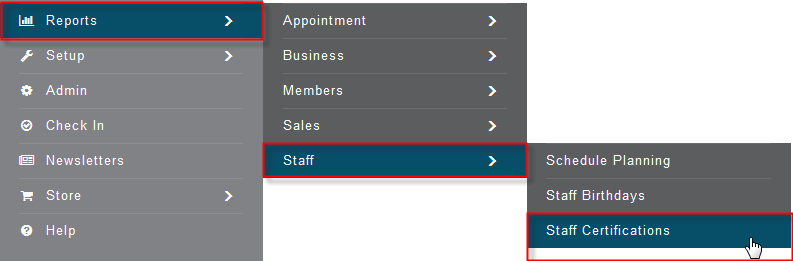
Click Reports>Staff>Staff Certifications
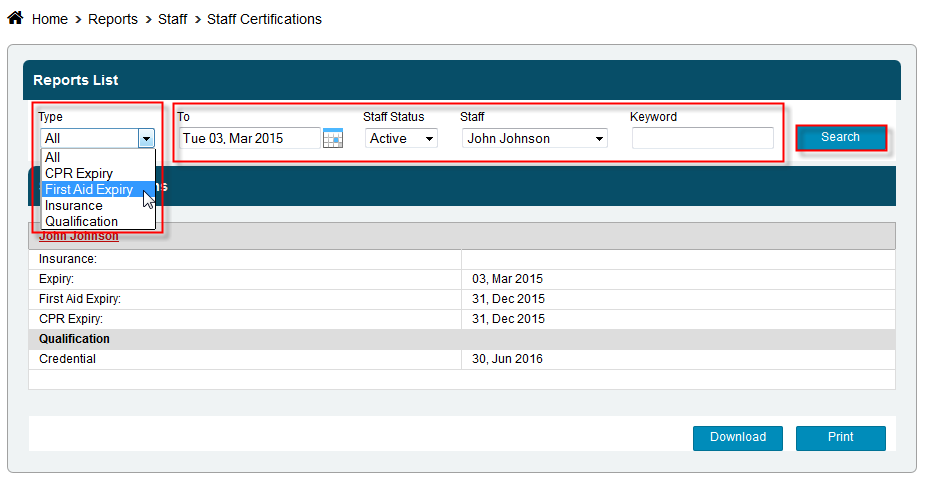
Select the Type of certification you would like to view - CPR, First Aid, Insurance, Qualifications, or choose All.
Select the date you want to look at by clicking the calendars, next to the To box, and selecting a date
Select a trainer from the drop down box or leave it set to All to return all the results
You may choose a Keyword to narrow your search.
Click Search