Sales By Category (2)
Sales by category Report
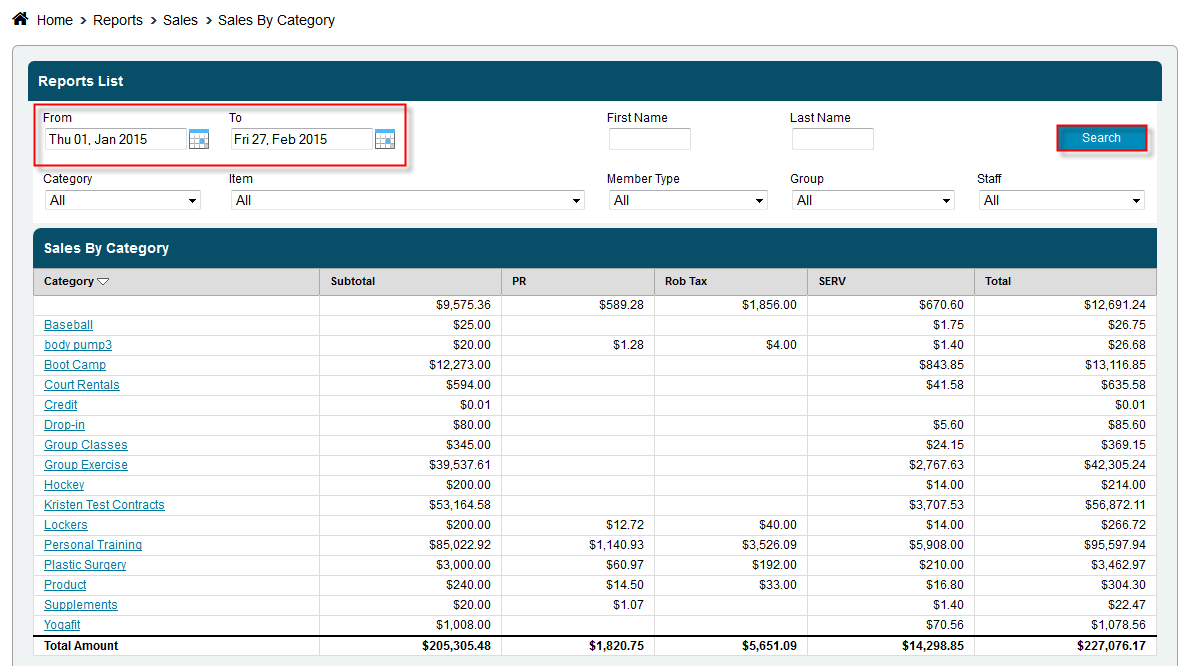
View all of your sales by category for any given time frame, category or even item. See at a glance where your sales are coming from.
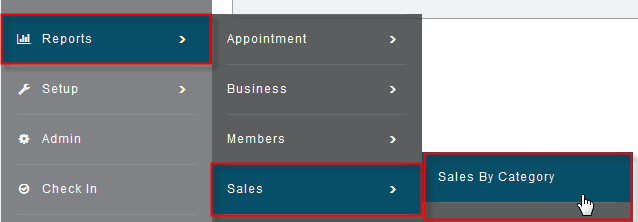
Click Reports>Sales>Sales by Category
Select the date range you want to look at by clicking the calendars, next to the from and to boxes, and selecting a date
Select a specific Category or Item or leave set to all to get back all of your information
Click Search
Attachments:
 d5e8938351c904d1197bdb4a12951182088513cd5d2a245ab1317c0198c510cd.png (image/png)
 ?name=salesbycategory.png (image/png)
