Member Self Registration-2
By default Self Registration is turned off in your Volo site. To turn it on simply:
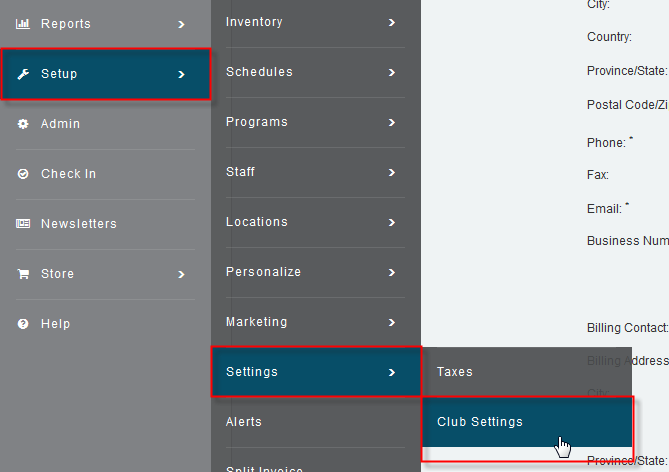
Go to Setup – Settings – Club Settings
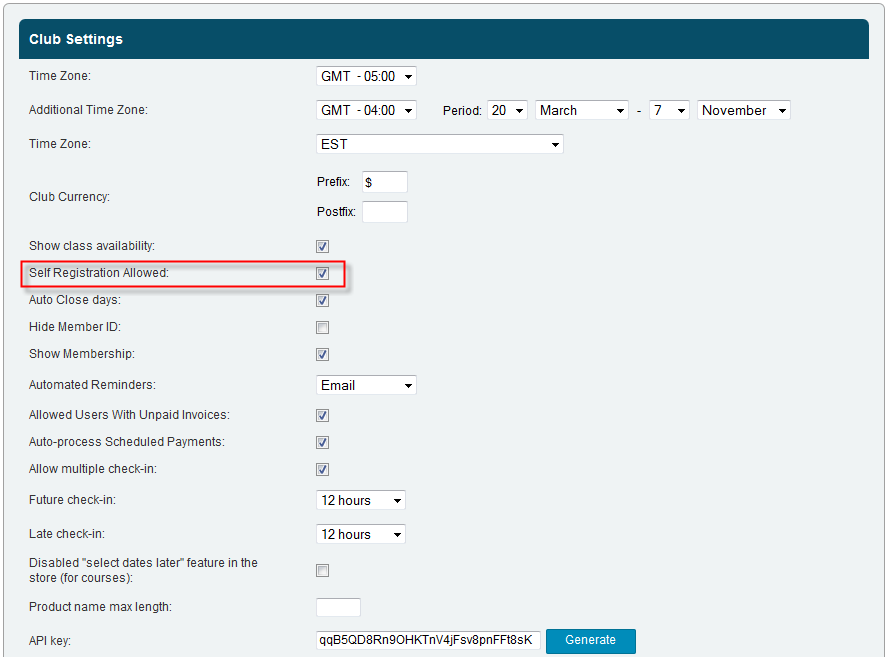
Click on the
Self Registration Allowed box
Click
Save to save any changes made
You can control what fields are mandatory at Self Registration in the Registration area of Marketing


