Member Manager Icons
There are a series of icons that appear within Volo due to certain actions.
Alerts

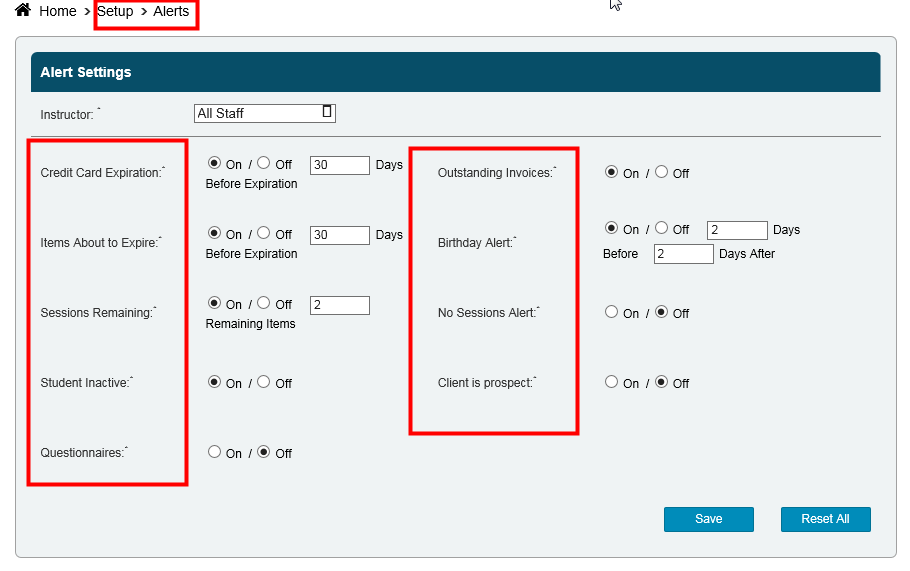
These icons appear due to what is set under Alerts (Setup > Alerts).
Important Health Information

These icons appear if there is any text written in the Important Health Information field found in the Member's Profile.

Notes

These icons appear if there is any text written in the Notes field within an appointment booking.

Attachments:
 ?name=Alert.png (image/png)
 c61187e137a7fff1e764fd08cea0051ab9ad76c5358c13ddfcd8e07541b192f0.png (image/png)
 ?name=Important+Health+Information+Icon.png (image/png)
 944d1ab7817af06d10d3f733794c62969365e621c008b031b2692436a739a539.png (image/png)
 ?name=Notes+Icon.png (image/png)
 dd1e87d0dee976fdf6bbd2ef335c5449fdb96f114acd1dae4a4bee195019e6db.png (image/png)
