Editing Existing Contracts
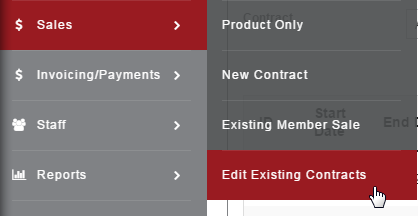
Sales>Existing Contracts
Use the Edit Existing Contracts option to make changes to any Active contract.
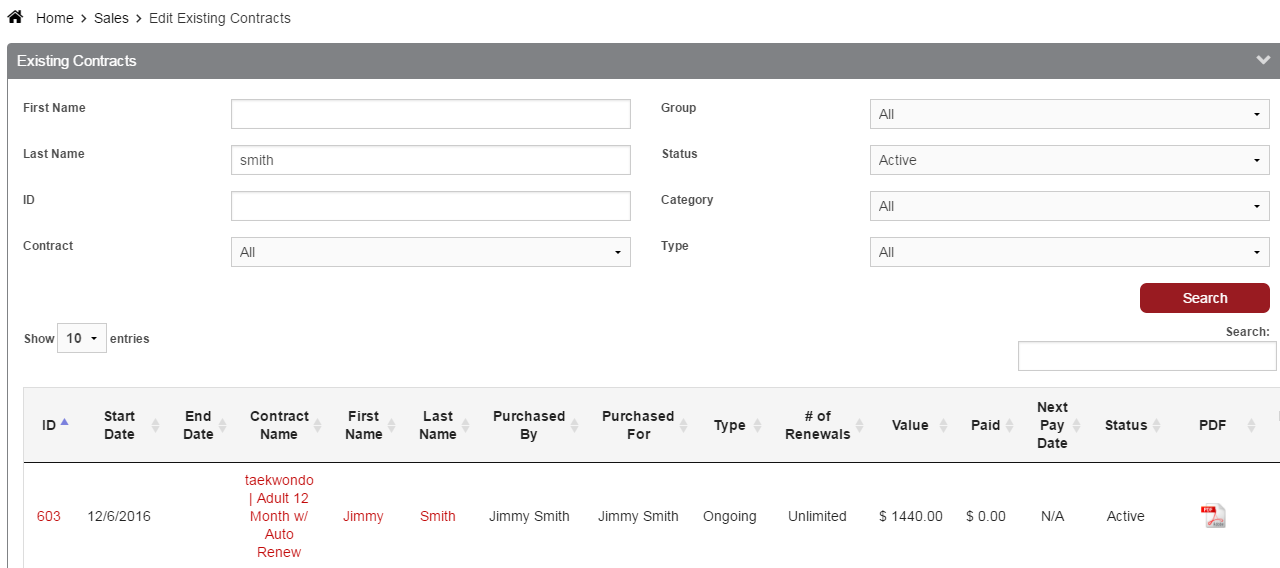
Search for Existing Contracts by any of the following:
First Name
Last Name
ID
Contract (choose item from drop-down)
Group
Status
Category
Type
Click the Contract Name to pull up the Contract Details and edit. Click the Member Name to pull up the Member Profile in a separate window.
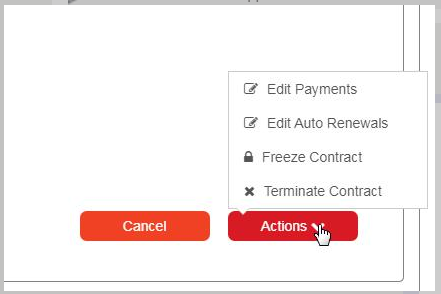
In the Contract Details, click the Actions button for options to Edit Payments, Edit Auto Renewals, Freeze Contract, or Terminate Contract.