Cancellation Reason
Cancellations reasons are required in order to cancel a session.
To add a reason for cancellation:
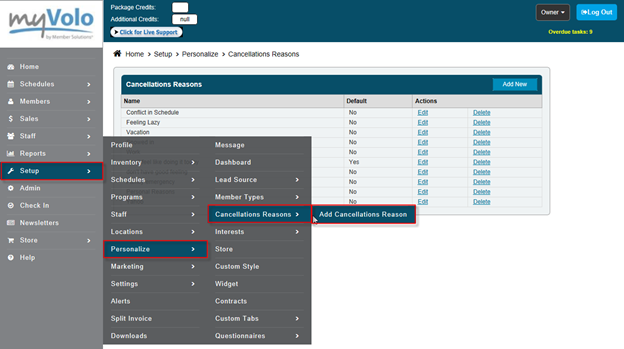
•Go to Setup
•Click Personalize
•Click Cancellation Reasons
•Click Add Cancellation Reason
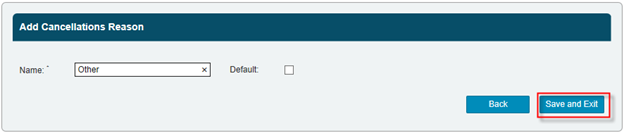
•Enter Cancellation Reason
•Select if this is your Default Reason
•Click Save and Exit