Adding Members To Programs
Programs and levels can be used to track all sorts of things in your business, from belts if you run a martial arts school, levels if you run a swim program or even just creating progress levels for your personal training clients.
To add a member to a program and level follow these steps:
Click on Members and use the search to locate the member you are looking to assign to a program.
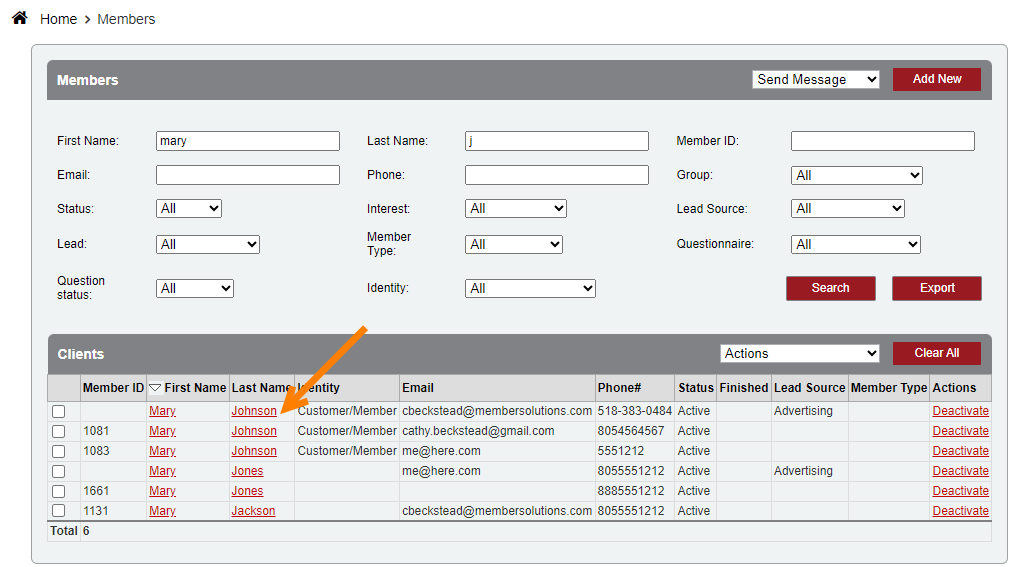
Click on the members name to open their profile.

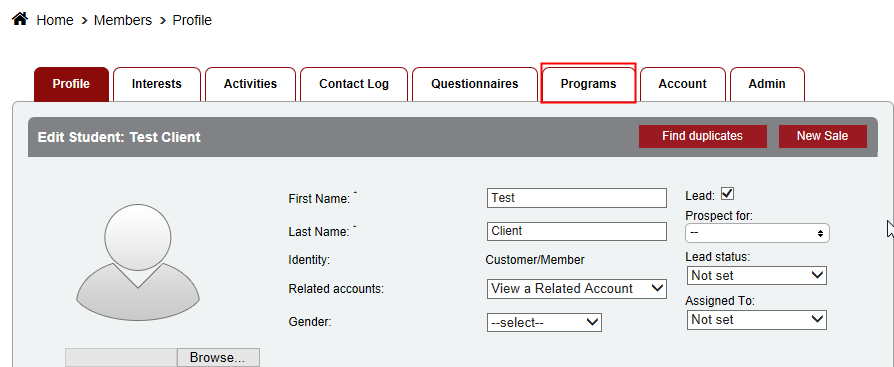
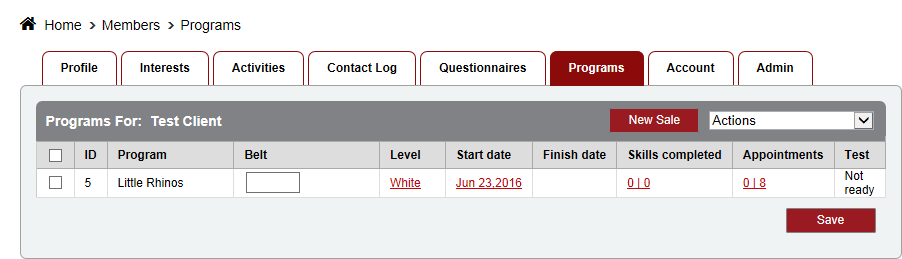
Click on the Programs tab along the top.
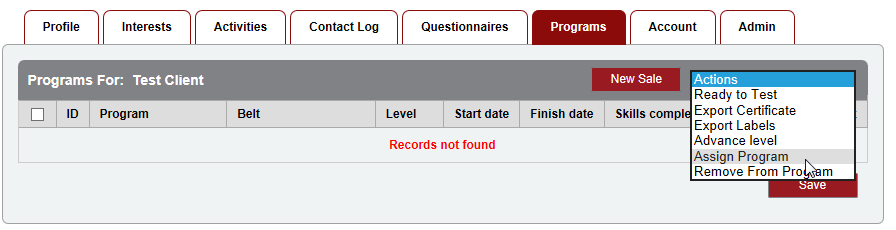
Use the Actions dropdown menu to select the Assign Program action.
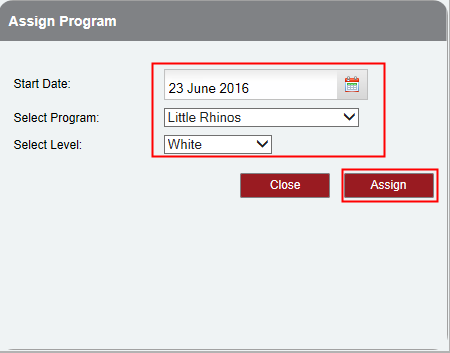
Enter the Start Date (date member was promoted to that level), Program and Level. Then click Assign.
Attachments:
 programs_members.png (image/png)
 programs_test_member.png (image/png)
 programs_tab.png (image/png)
 Assign.png (image/png)
 assign_program.png (image/png)
 finished.png (image/png)
 image-20230907-193755.png (image/png)
